Leaving Plex
Keep the easy parts. Own the rest.
Jellyfin is a free, open-source media server that runs on your own computer. It's powerful, but fiddly to set up. Reelhost does the setup in one click, brings everyone's watch history across from Plex, and gives the family our own apps for the TV and phone.
Free to scan. No account, no card. Windows 10 and 11, macOS 12 and later, and Docker.
Why people switch
Your server. Your files. Your rules.
Nothing runs through someone else's cloud
Video streams straight from your home to your device. Our servers only keep your yourname.watchhome.app name pointed at your home.
No media company account to watch your own files
Everyone signs in to your own server, with logins you make for them. Kids get their own profiles. Your streams don't depend on a third-party account.
Pay once, if you like
Jellyfin is free. Reelhost Core is $24.99 once and Complete is $49.99 once, with updates included. Prefer a subscription? Yearly is $14.99 a year.
Apps that feel made for it
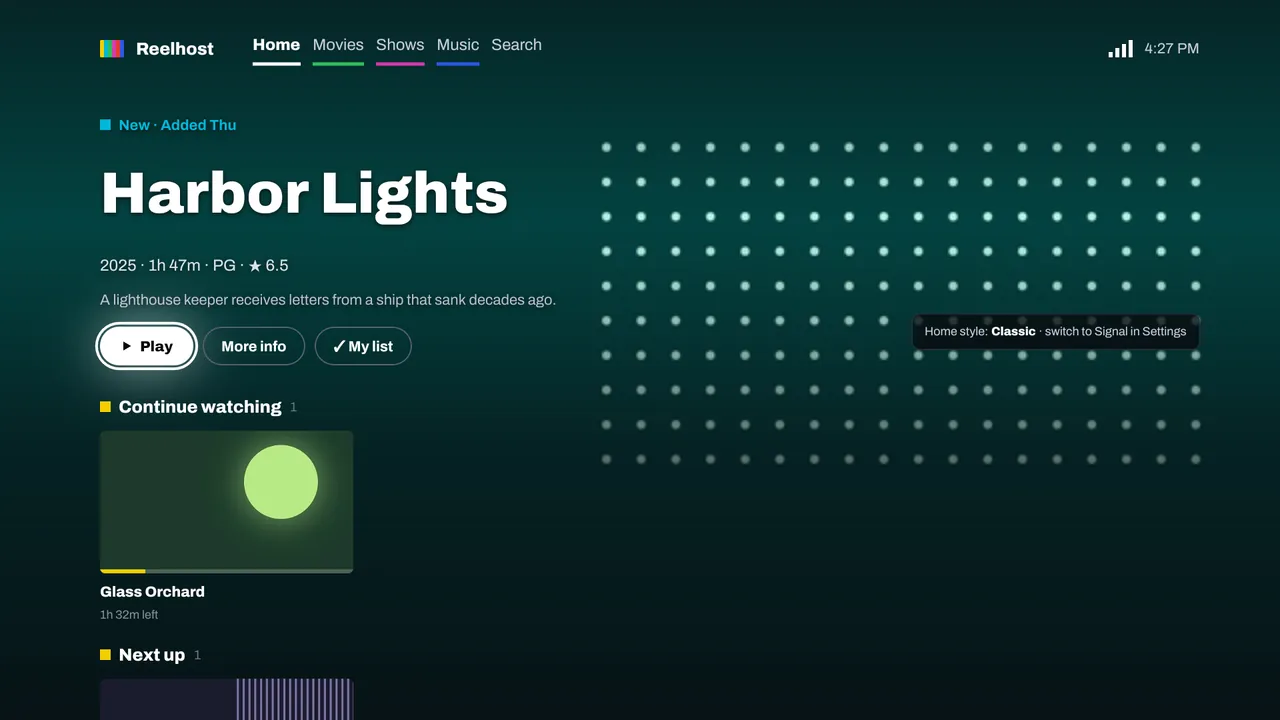
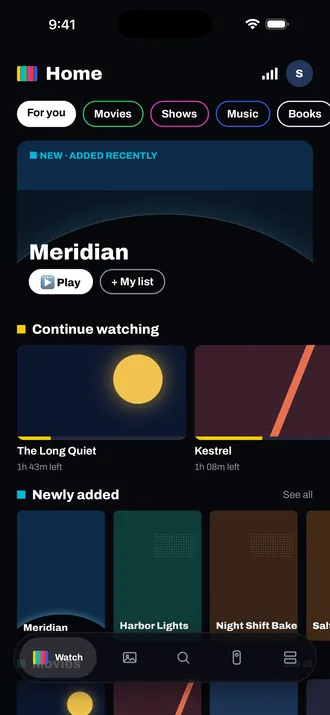
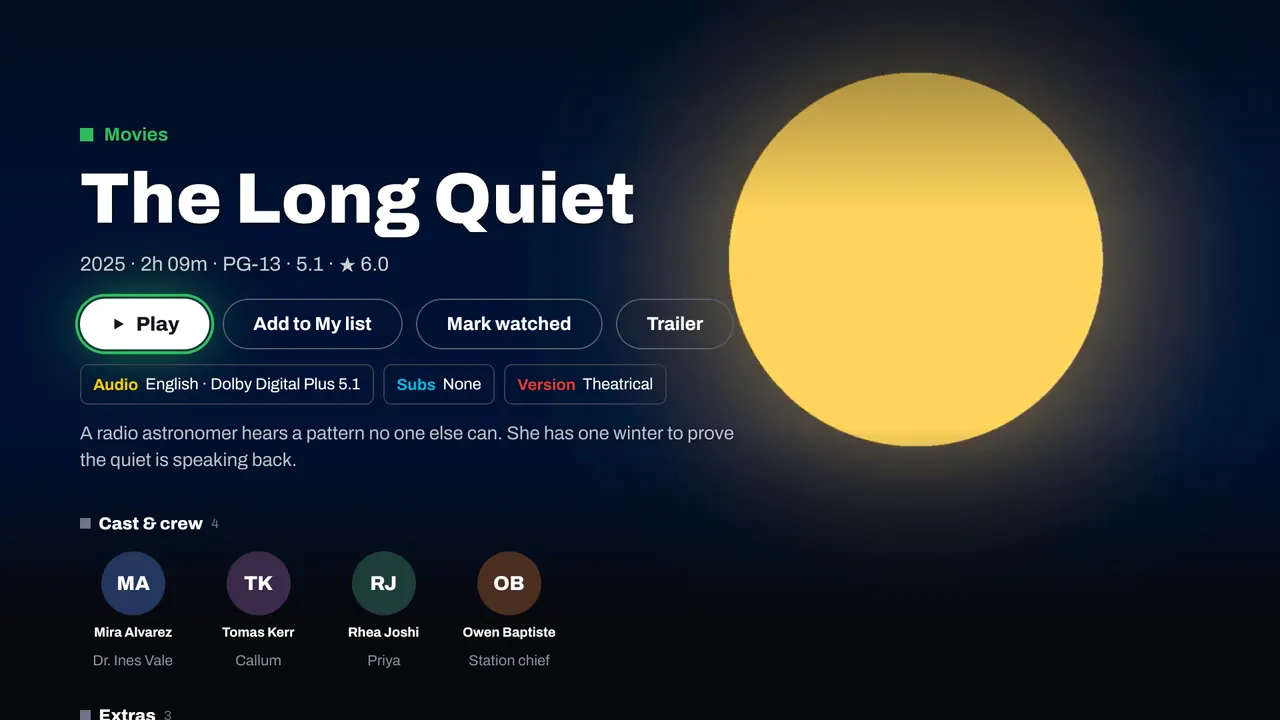
Reelhost Signal, our own app for TVs and phones, picks up where you left off on every screen. See the apps
Switch from Plex
Bring everyone's watch history with you.
Reelhost copies each person's watched history, resume points and collections from Plex into Jellyfin. Nobody starts their shows again from episode one.
It reads a copy of Plex's database, so Plex itself is never changed. Keep Plex running while the family tries Jellyfin, and switch when you're ready.
Preview it free. Copying comes with Complete and Yearly, and one click undoes it.
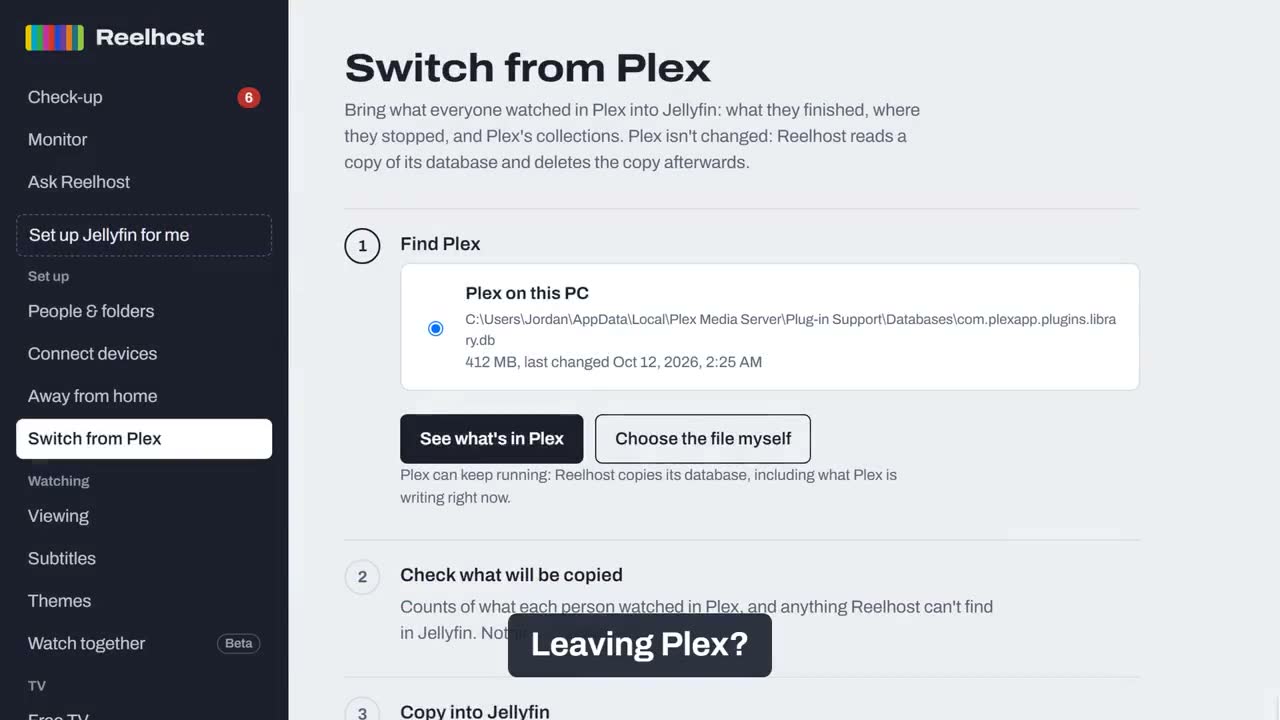 Watch it work (18 seconds)
What Reelhost does for you
Everything Jellyfin leaves to you, in one click.
Each change is previewed first, backed up before it's made, and reversible in one click.
- A free check-up. Ten checks find what's wrong and explain it in plain words: firewall, sleep, video speed, network drives and more.
- Watch away from home. Your own yourname.watchhome.app address with HTTPS, set up for you, or private watching with Tailscale.
- People and folders. Logins for the family, kids profiles and invites, and libraries found on your drives.
- Live TV and recordings. Your HDHomeRun antenna with a guide that fills itself in, recordings, and commercial skipping.
- Free TV. Channels whose broadcasters stream them for anyone to watch free, each linked to its official source.
- The comfortable extras. Skip intro and credits, subtitles that line up, themes, and backups you can restore.
An honest comparison
Jellyfin alone, or Jellyfin with Reelhost.
Jellyfin is free whichever way you run it. What Reelhost saves is the evening of forum posts.
| Task | Jellyfin by hand | Jellyfin with Reelhost |
|---|---|---|
| Your Plex watch history | Mark it played title by title, or set up Trakt or a community sync tool | Copied for each person, with a free preview and one-click undo |
| Watching away from home | Buy a domain, point DNS home, get a certificate, forward a port | Your own yourname.watchhome.app address with HTTPS |
| Firewall, sleep, video speed | Settings in three different places | Found by the check-up and fixed with one Apply |
| Live TV guide | Find a guide source and match it to your channels | Set up for your HDHomeRun, and kept fresh |
| Apps for the family | Jellyfin's free apps | Jellyfin's free apps, plus Reelhost Signal (coming soon) |
| If something goes wrong | Undo it yourself | Every change backed up and reversible |
| Cost | Free, plus a domain if you want a web address | Free check-up; Core $24.99 once, Complete $49.99 once, or Yearly $14.99 a year |
What Plex costs, and what it costs to leave: Plex Pass vs Jellyfin, the real cost and a Plex alternative without a subscription.
What you might miss. Plex also has online extras of its own, beyond your library. Your own server plays what you own, plus Free TV and your antenna. If someone in the family relies on Plex's online extras, keep Plex for them. Reelhost never touches Plex, so both can run side by side.
Reelhost Signal
Apps the family will actually like.
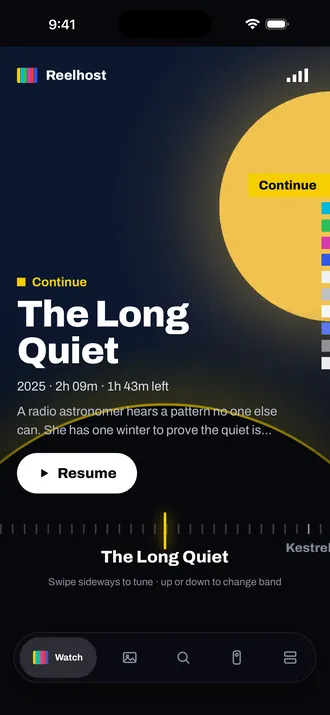
Swipe a dial or browse rows. Continue watching and Next up on every screen, live TV with a guide, and a code to sign in on the TV instead of a password.
In review now. Until it's out, Jellyfin's free apps work with everything Reelhost sets up.
Questions about switching
Will we lose what we've watched?
No. Switch from Plex copies each person's watched history, resume points and collections from Plex into Jellyfin. The preview is free; copying comes with Complete and Yearly, and one click undoes it.
Do I have to stop using Plex first?
No. Reelhost reads a copy of Plex's database and never changes Plex, so you can keep Plex running while the family tries Jellyfin, and switch when you're ready.
Do my files have to move?
No. Jellyfin reads the same folders Plex does. Reelhost finds your movies, shows and music on your drives and adds them as libraries.
What will the family watch on?
Reelhost Signal, our own free app, is coming to Android phones and tablets, Android TV and Google TV, iPhone, iPad and Apple TV; it's in review at Google Play and the App Store now. Jellyfin's free apps work today on most TVs, phones and web browsers.
Does my video go through your servers?
No. Video streams straight from your home to your device. Our servers only keep your watchhome.app name pointed at your home.
Plex is a trademark of its owner. Reelhost isn't affiliated with, endorsed by or sponsored by Plex, Jellyfin or Emby; we name Plex only to describe switching from it. Reelhost works with Jellyfin. The app screenshots show our test server's made-up titles.
See what your switch takes. Free.
The check-up finds your Jellyfin, or helps you set it up, and shows every change before anything happens.