Reelhost Signal
Your own movies, on every screen.
Signal is our own free app for watching your server: Android phones and tablets, Android TV and Google TV, iPhone, iPad and Apple TV, and any web browser through Reelhost. It plays your movies, shows, live TV, music, podcasts, radio, audiobooks and photos, and adds a DJ and karaoke. It works with Jellyfin, and gets even better with Reelhost.
In review now. Until it's out, Jellyfin's free apps work with everything Reelhost sets up.
Two ways to browse
Tune it like TV, or browse rows.
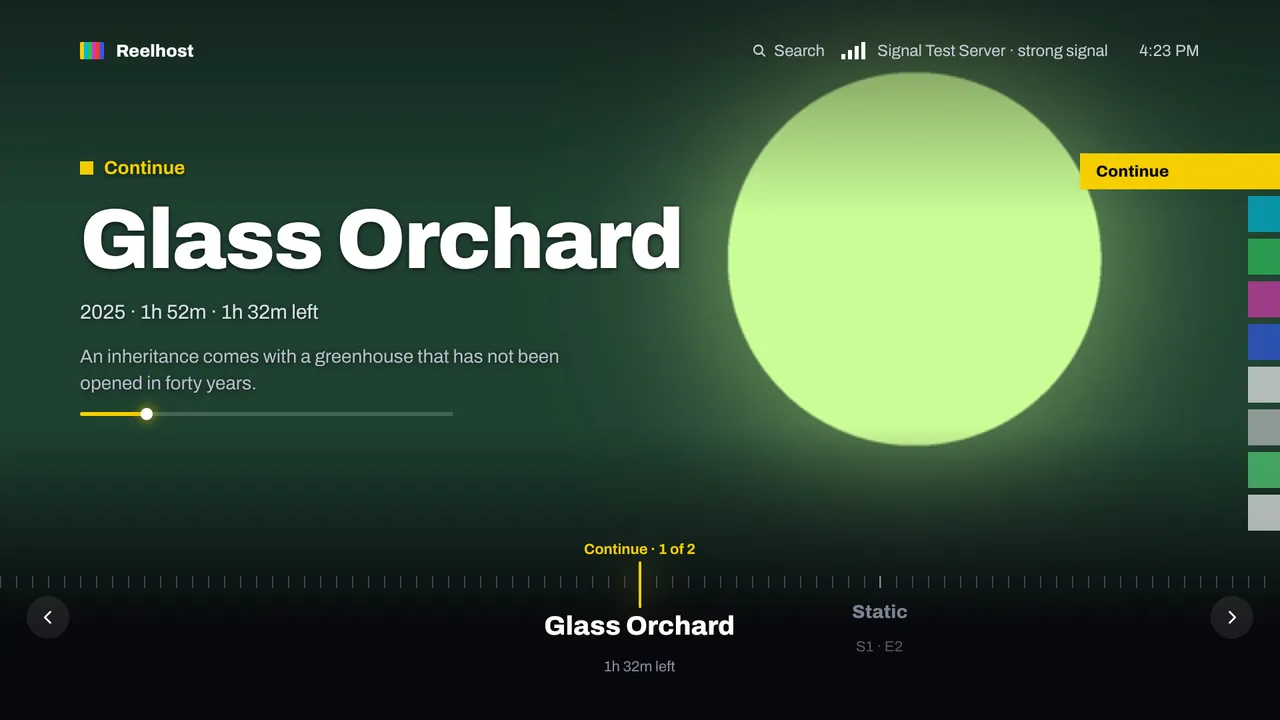
Swipe a dial through big pictures, with colour bands for Continue, New, Movies, Shows, Live TV and Music. Or keep the rows of posters you're used to. Switch any time; your choice follows you to every TV and phone.
-
SignalOne title at a time, big. Turn the dial to tune. -
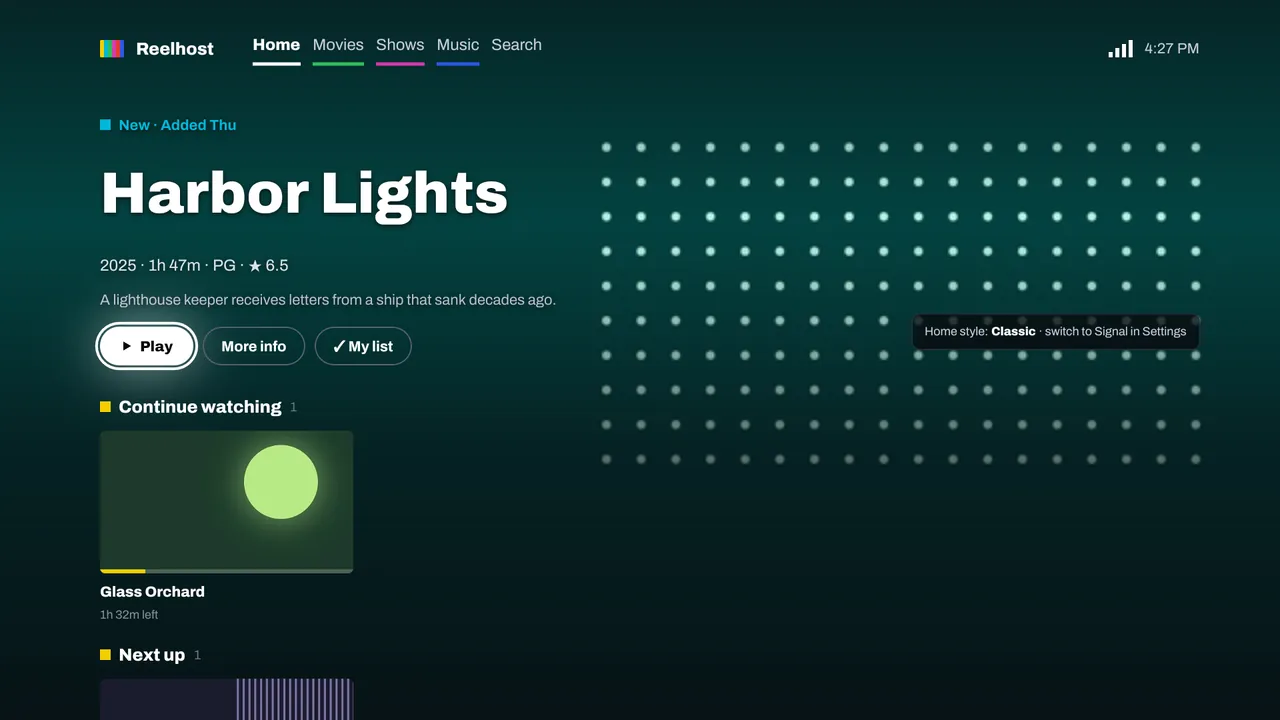
ClassicRows of posters, like other apps.
On your TV
Made for the couch and the remote.
Android TV, Google TV and Apple TV, with Fire TV to follow. Android TV's home screen and Apple TV's Top Shelf show what you were watching and what's next.
-
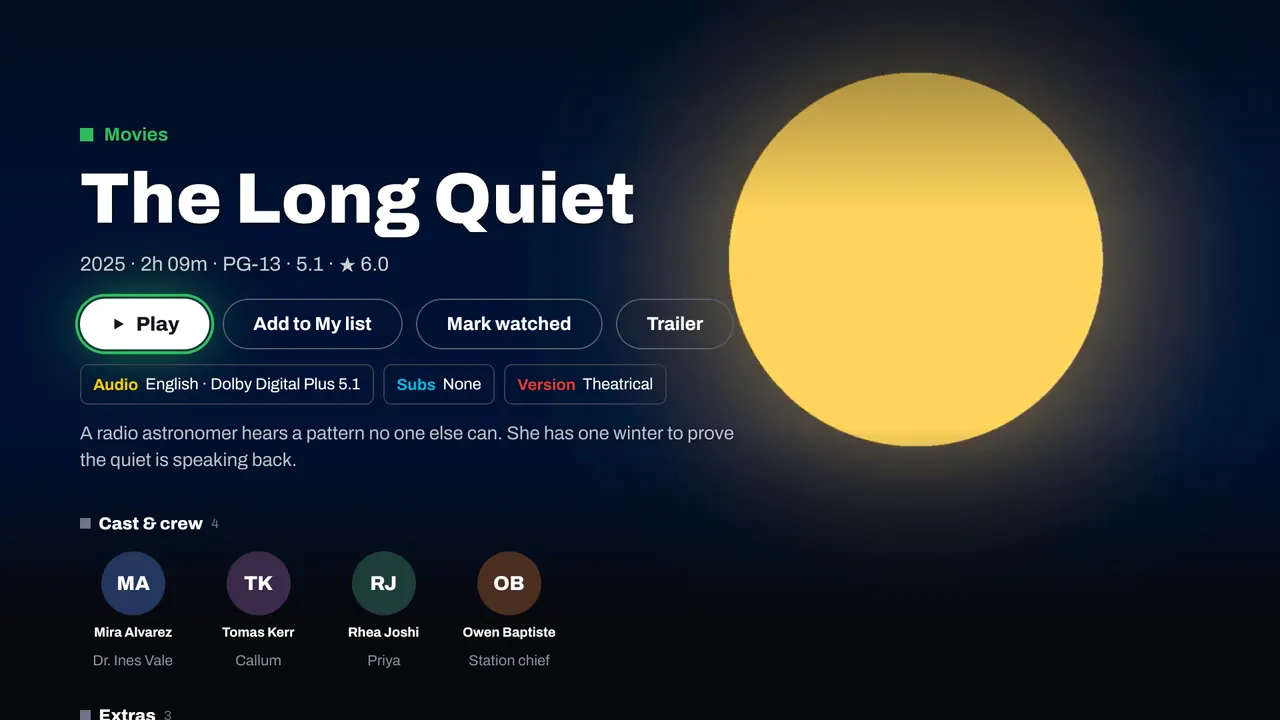
Everything before you press PlayAudio and subtitle tracks, versions, cast and the trailer, on one page. -
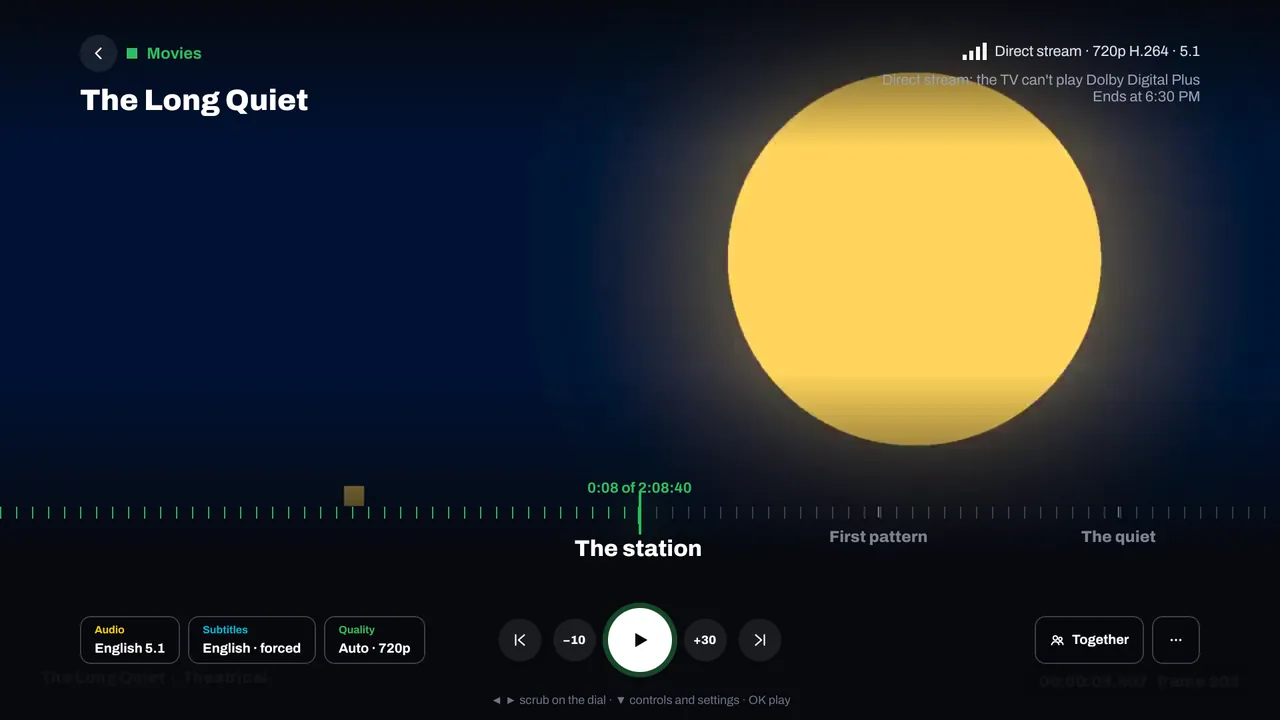
A player that tells you whyMost files play as they are; others are converted by your server only when needed. Chapters, scrub previews, and Skip intro and credits. -
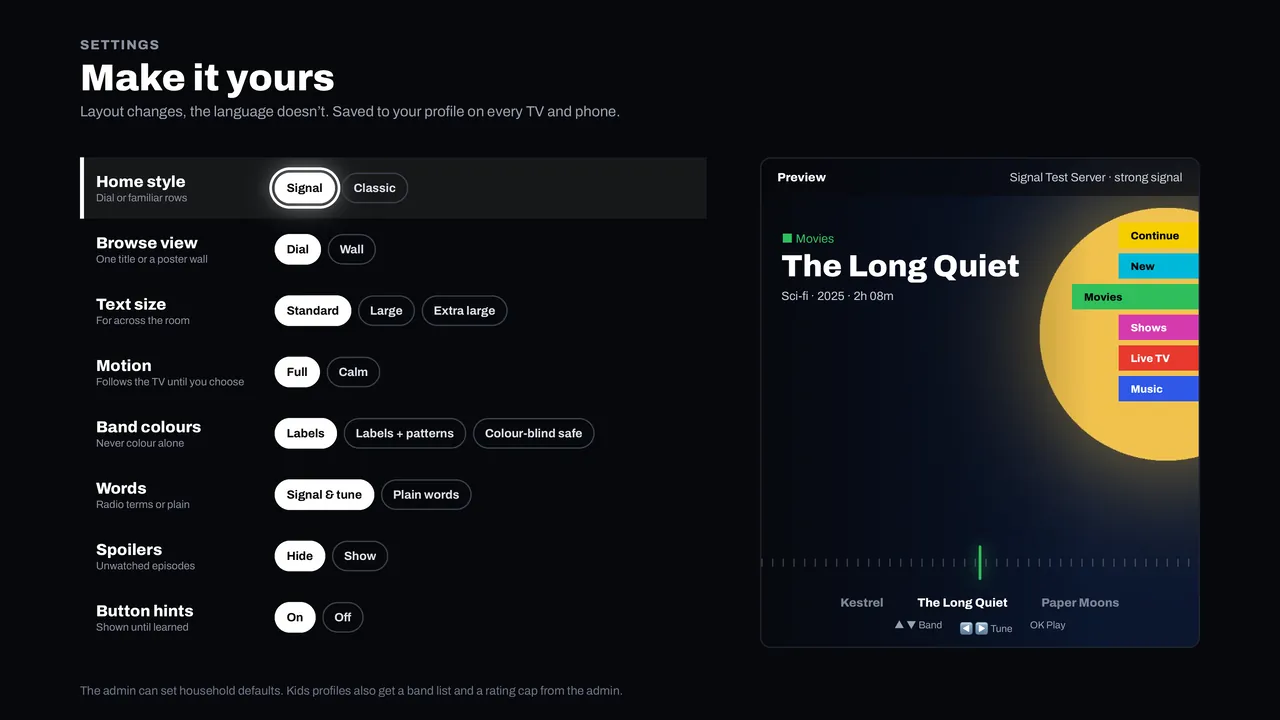
Make it yoursLarger text for across the room, calmer motion, colour-blind-safe bands, spoilers hidden. Saved to your profile on every TV and phone. -
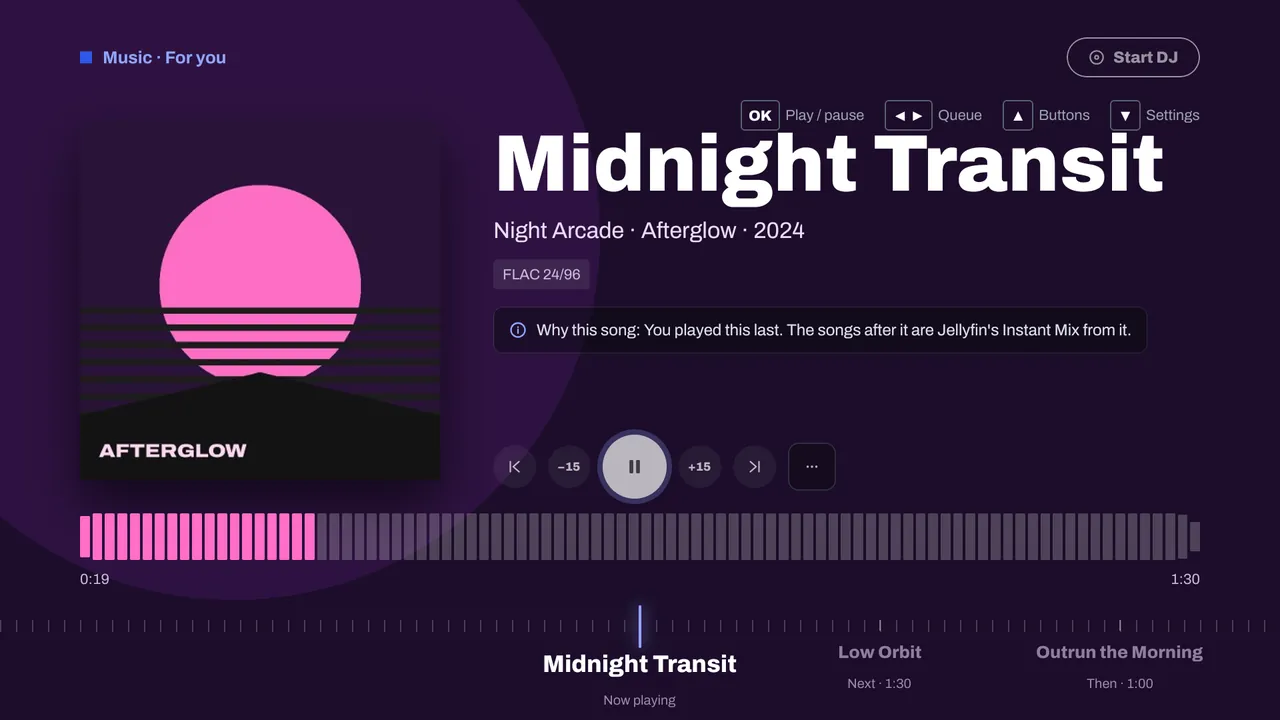
Your music, on the big speakersAlbums, artists, playlists, radio, audiobooks and podcasts.
On your phone and tablet
The same library in your pocket.
Android phones and tablets, iPhone and iPad. Cast to a Chromecast from Android, or use AirPlay and Picture in Picture on iPhone and iPad. Music keeps playing with lock screen controls.
-
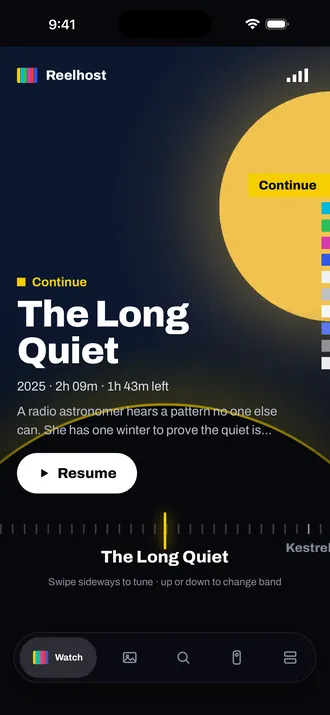
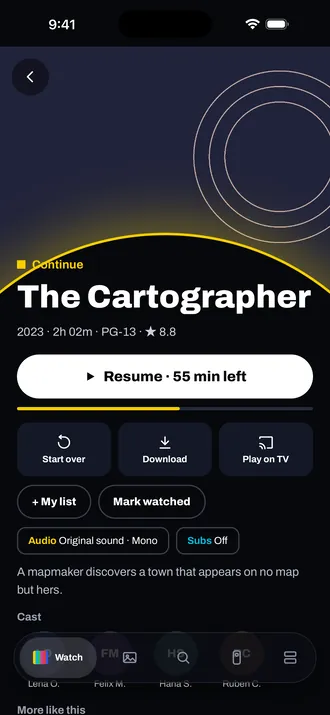
Swipe to tuneSideways for the next title, up or down to change band. -
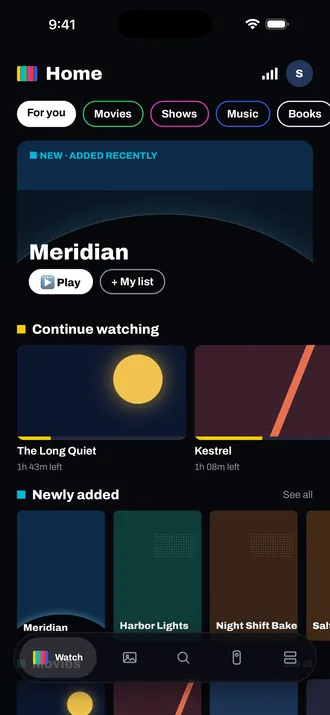
Or browse rowsContinue watching, Newly added, and each library. -
Pick up where you stoppedOr send it to the TV. -
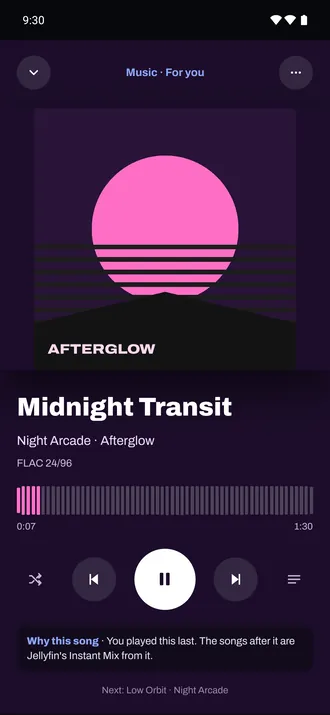
Music that explains itselfSee why each song was picked.
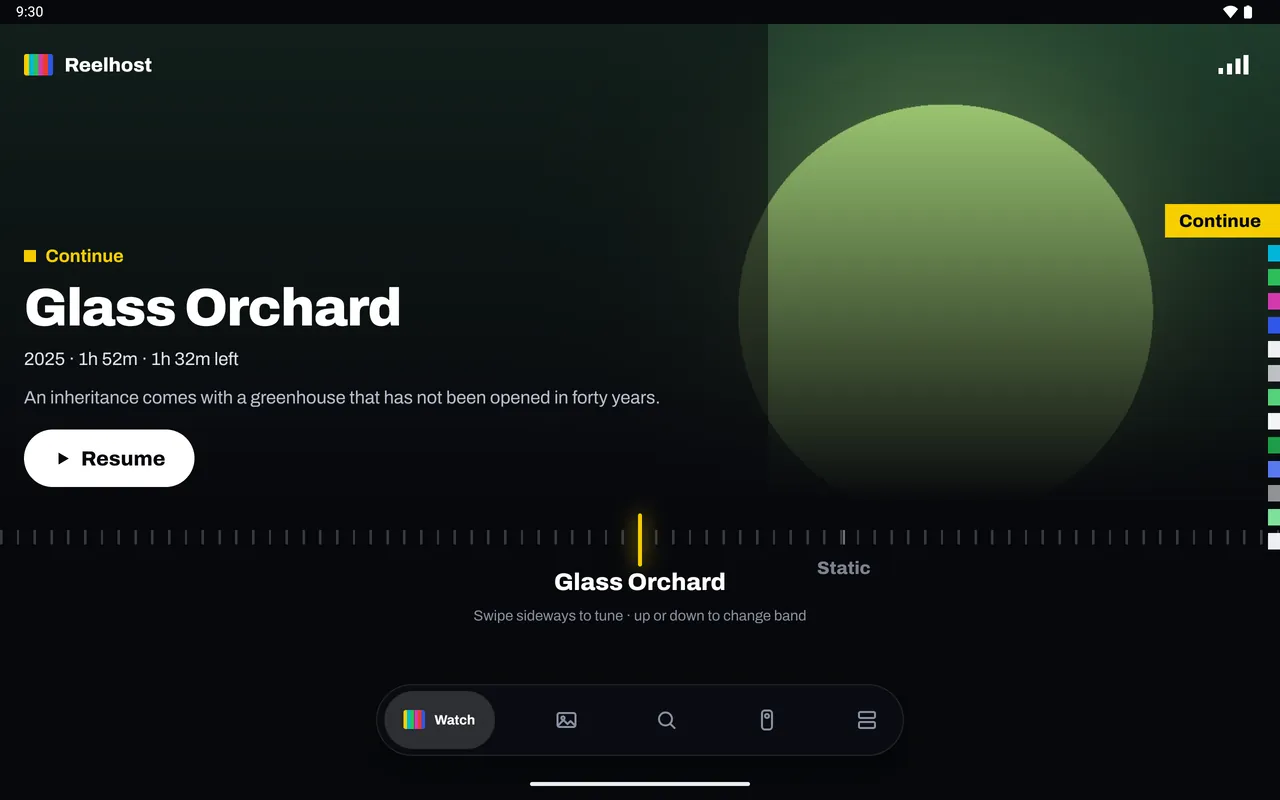
Tablets get the big picture too
On a tablet, Signal uses the whole screen. Your photo libraries show by day, month and place, with slideshows on the TV.
Turn on photo backup and the photos on your phone go to your own server, not someone else's cloud. It's off until you turn it on, and it needs Reelhost on your server.
DJ Signal
Your own music, mixed live.
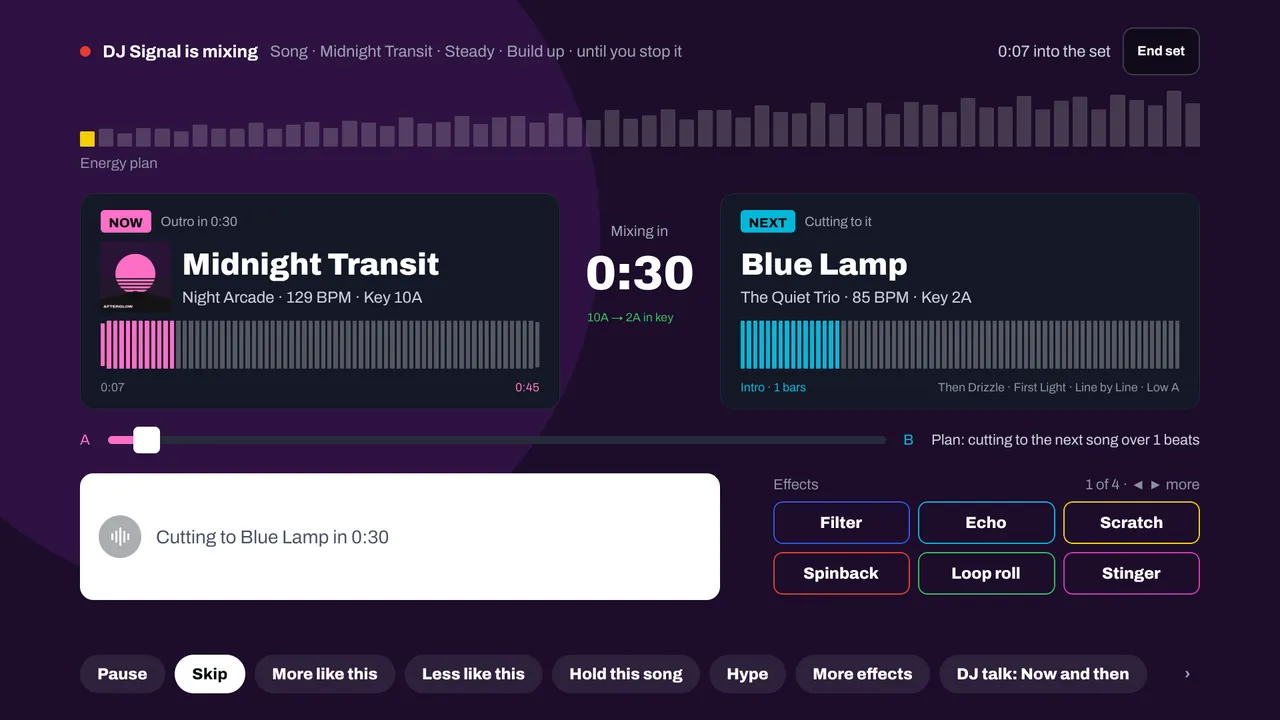
The DJ plays a continuous mix from your music: songs go one into the next on the beat, in keys that sit well together, following the mood you pick. Start it from an album, an artist, a playlist or all your music. Your phone is the remote: more like this, less like this, hold this song, add an effect.
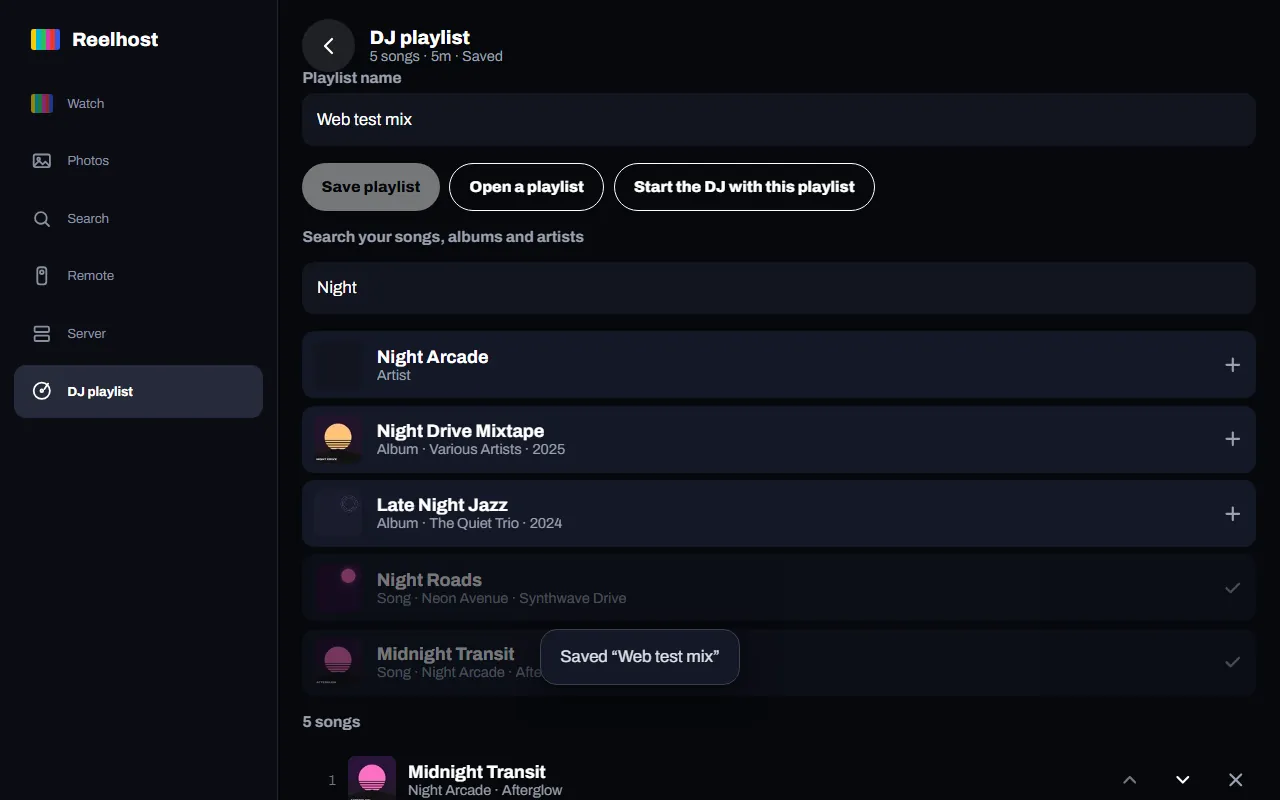
Build a DJ playlist in your browser and start it on any of your devices. DJ Signal is part of Reelhost Complete.
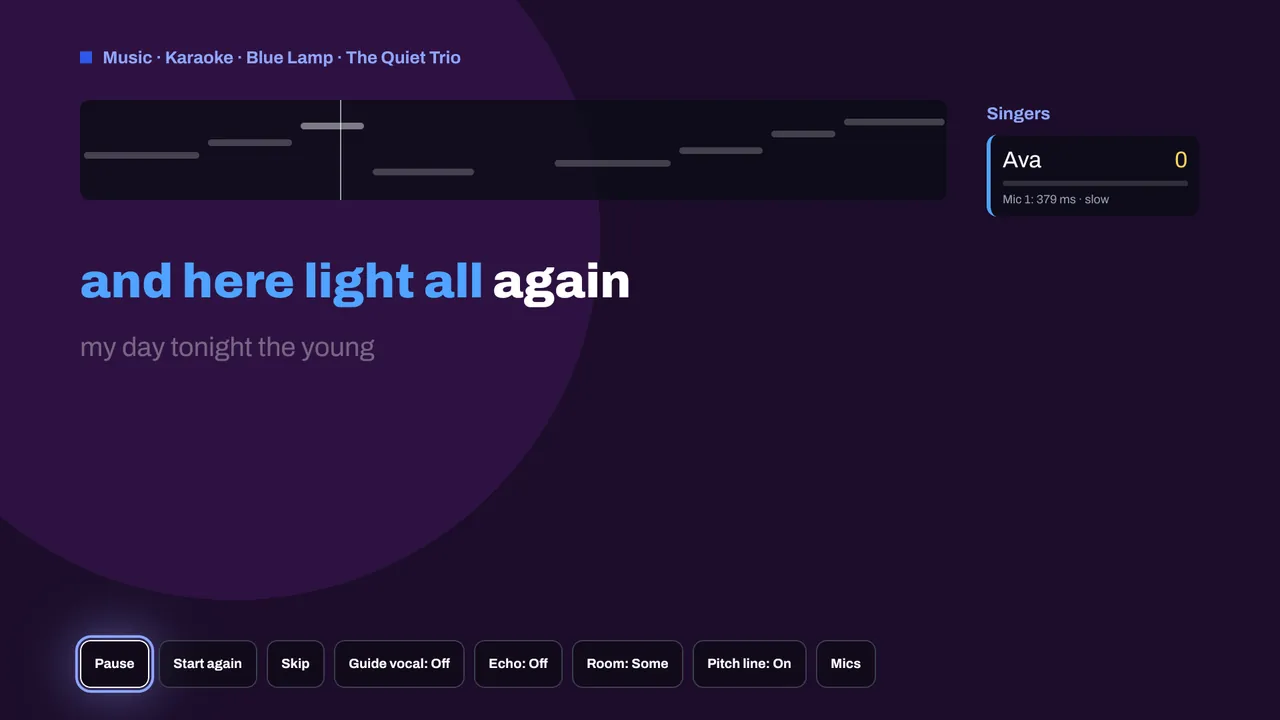
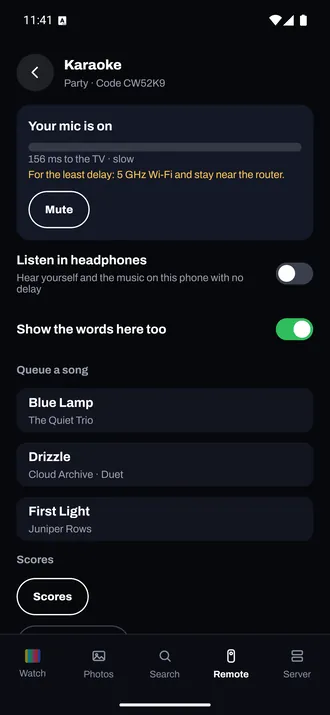
Karaoke
Karaoke night, with your own songs.
Reelhost takes the singing out of songs from your own music library, on your computer. The TV shows the words as they're sung, and phones become microphones: guests join with a six-digit code or a QR code.
Start a party, a duet night or a competition. Pitch, timing and held notes make each singer's score.
Karaoke is part of Reelhost Complete. How karaoke works
Listen
Podcasts, radio and audiobooks too.
Your albums, artists and playlists, plus podcasts, live internet radio and audiobooks, on the TV and your phone, with lock screen controls.
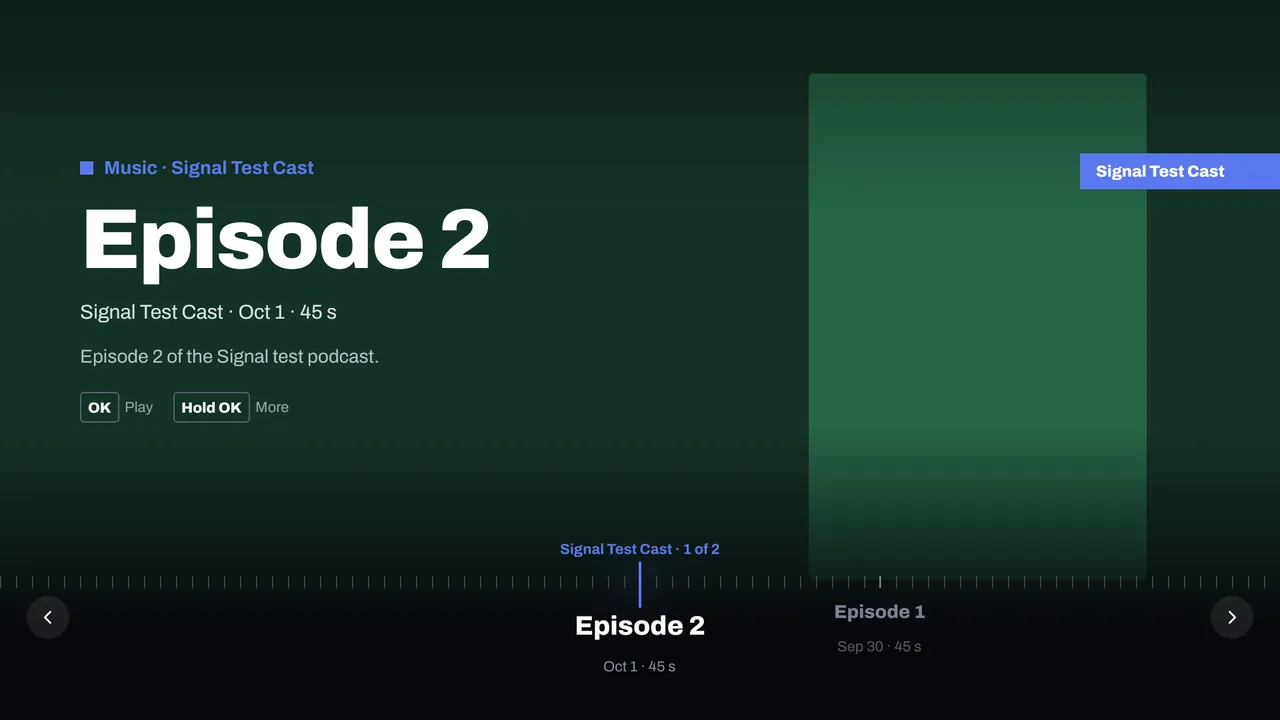
PodcastsFind shows and play their episodes. 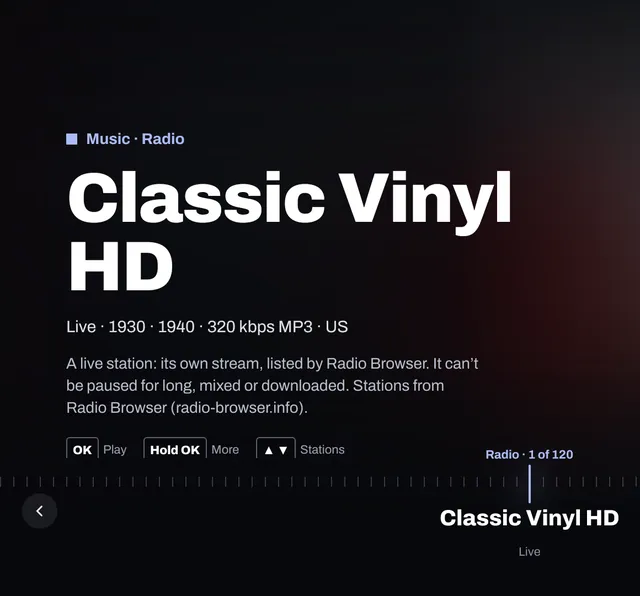
Internet radioLive stations from Radio Browser, an open directory. 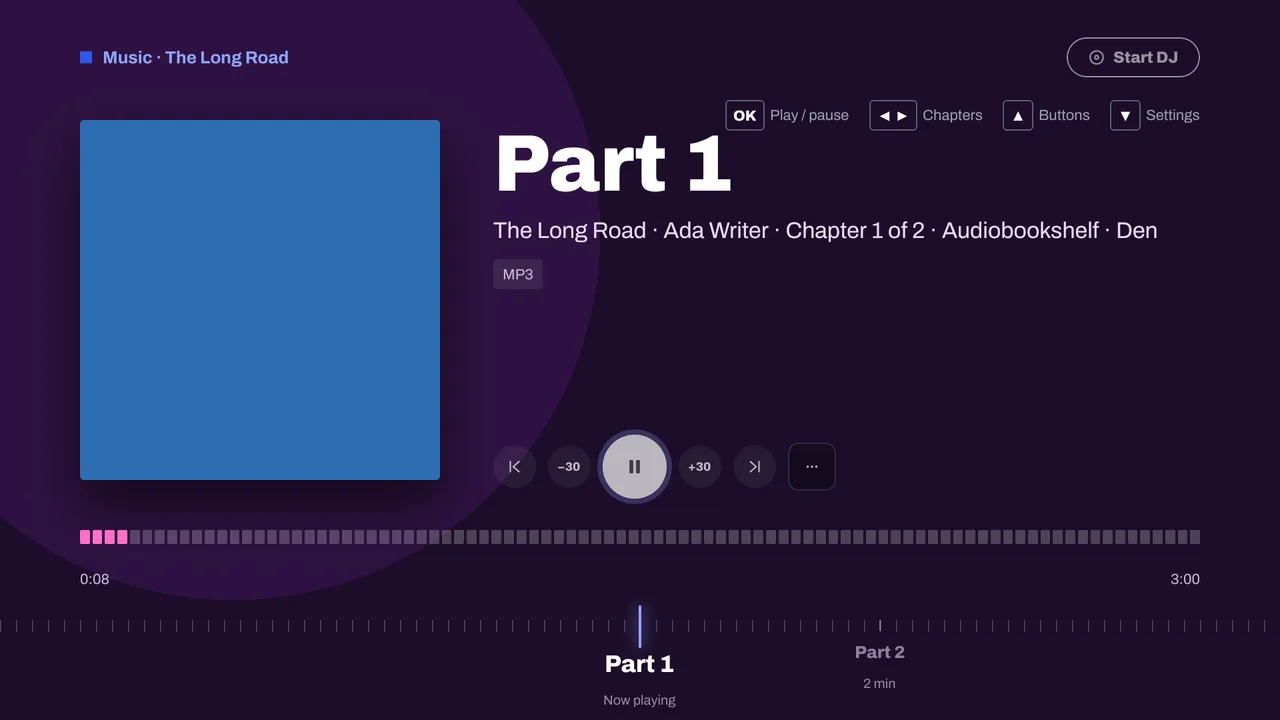
AudiobooksChapters, 30-second skips and your place kept, from Jellyfin or Audiobookshelf.
Photos and home videos
Every photo you've taken, on your own server.
Back up your phone to your own server, show photos on the TV, share them with private links, and turn clips into finished videos. Nothing goes to someone else's cloud.
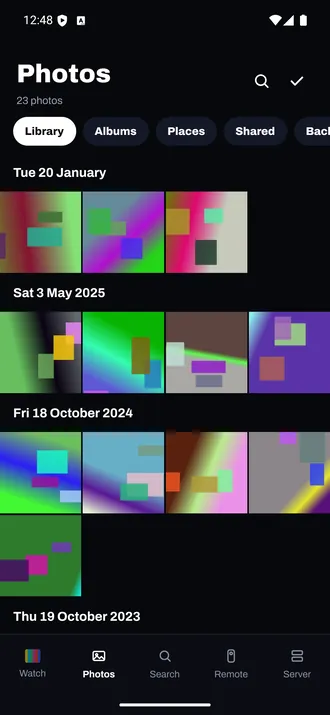
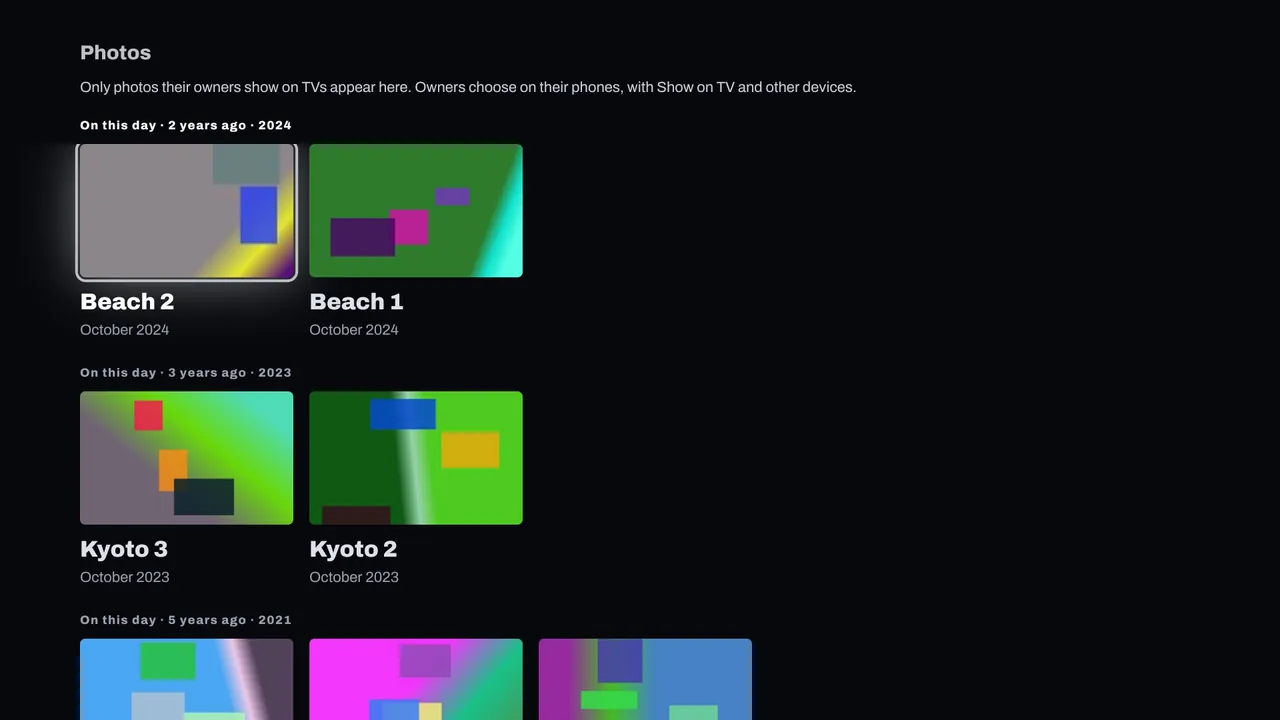
Your library, by dayAlbums, places, and what's shared with you. 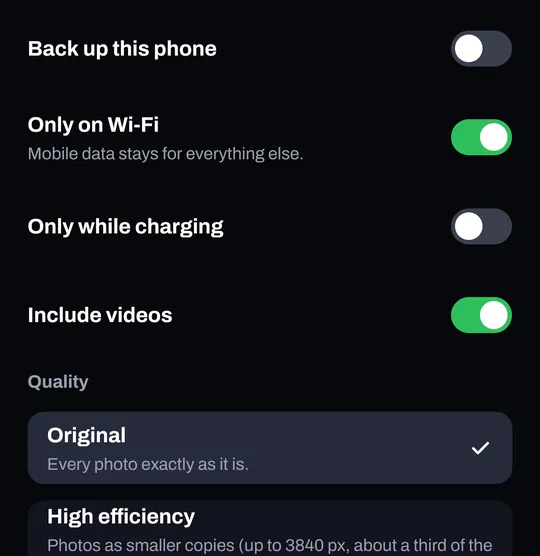
Back up this phoneOnly on Wi-Fi or while charging if you like, videos too, in original quality. 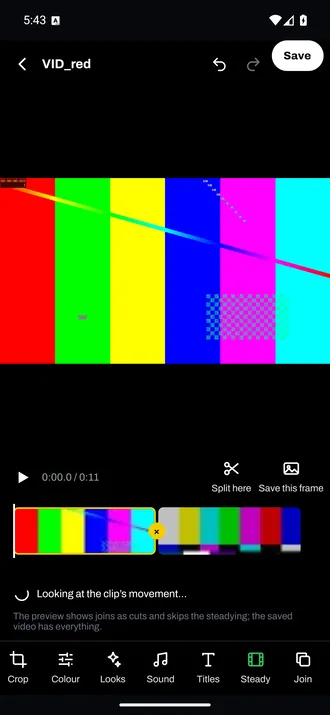
Edit home videosTrim, split, join, crossfades, looks, titles, music and steadying. 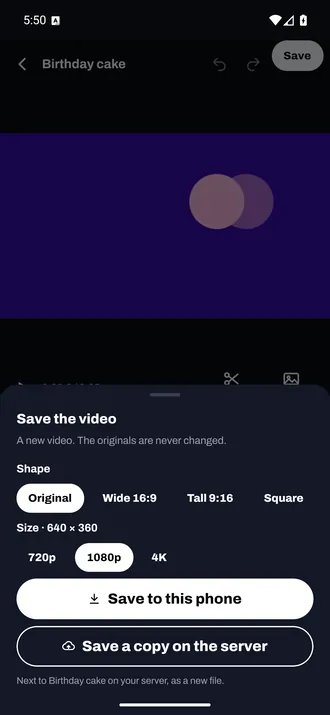
Save a copyA new video next to the original on your server. The original is never changed.
Private until you share them
A photo reaches the TV and other people only when its owner chooses to show it. Anyone can hide their own photos. TVs get slideshows and a screensaver of the photos you've shown.
Each person's phone backup goes into a library of their own. Photo backup, privacy, private links and saving edited videos to the server need Reelhost; the video editor is on Android first.
Signal for the web
In any browser, with nothing to install.
Reelhost serves Signal to web browsers: a phone layout in a narrow window, a sidebar in a wide one, and a TV mode for a browser on the big screen. At home, or from away at your own address. Music and the DJ work there too.
And the rest
Small things that make it feel like home.
Live TV with a full guide
Watch your antenna channels and recordings through your server's tuner.
Sign in with a code on the TV
Nobody types a password with a remote. Signal finds your server on your home network, or you enter its address.
Sign in with Reelhost
Sign in with your Reelhost account and Signal lists the servers you chose to show, so there's no address to type.
No ads, no tracking
Signal has no ads and no analytics. What you watch, your photos and your recordings go only between the app and your own server. Privacy policy
Works on its own
Any Jellyfin server. Better with Reelhost.
Signal needs a media server you run yourself: Jellyfin 10.10 or later. Reelhost on that computer adds the rest.
| Feature | Any Jellyfin server | With Reelhost |
|---|---|---|
| Movies and shows, Continue watching and Next up | Yes | Yes |
| Live TV and recordings | Yes, through your server's tuner | Yes, and Reelhost sets the tuner and guide up |
| Music, radio, audiobooks and podcasts | Yes | Yes |
| DJ Signal and karaoke | No | Yes |
| Photo privacy and phone photo backup | No: every photo shows | Yes: each owner chooses which photos TVs show |
| Watch together | No | Yes |
| Edited videos saved next to the original | No | Yes |
| Signal in a web browser | No | Yes, served by Reelhost |
| Away from home | Whatever you set up yourself | Your own yourname.watchhome.app address, set up for you |
Questions
Is Signal free?
Yes. Signal is free, with no ads and nothing to buy in the app. Reelhost, the app for the computer that runs your server, is sold separately.
Do I need Reelhost to use Signal?
No. Signal works with any Jellyfin server, version 10.10 or later. Reelhost on that computer adds DJ Signal, karaoke, photo privacy and phone photo backup, Watch together, and watching away from home at your own web address.
When can I download it?
Signal is in review at Google Play and the App Store now. The download links go on this page as soon as it's approved. Fire TV comes later.
Does Signal track what I watch?
No. Signal has no ads, no analytics and no tracking. What you watch, your libraries, photos and recordings go only between the app and your own server. The privacy policy has the details.
The screenshots show our test server's made-up titles. Jellyfin is a trademark of its owners; Reelhost Signal is an independent app made by Wizzered Inc. and isn't affiliated with or endorsed by the Jellyfin project. Android, Google TV, iPhone, iPad, Apple TV and Fire TV are trademarks of their respective owners.
Set up the server, then watch it everywhere.
Reelhost installs and runs Jellyfin on Windows, Mac and Docker, and serves Signal to every screen. Installing Jellyfin and the check-up are free.